vue前端打印代码加遇到的问题
 免费下载资源
安装 vue-print-nb-jeecg 插件
npm install vue-print-nb-jeecg –save
全局挂载main.js
import Print from 'vue-print-nb-jeecg'
Vue.use(Print);
写一个打印按钮,添加 v-print=“’#printContent’”为下面div的id
<a-button v-print="'#printContent'" type="primary">
打印</a-button>
打印的内容,div的id为printContent
<section ref="print" id="printContent" class="">
    <div>内容</div>
</section>
遇到的问题
1.打印预览时多一张空白页
解决:
<style @media="printContent">
@page {
size: auto;
/* margin: 3mm; */
}
html {
background-color: #ffffff;
height: auto;
/* margin: 0px; */
}
</style>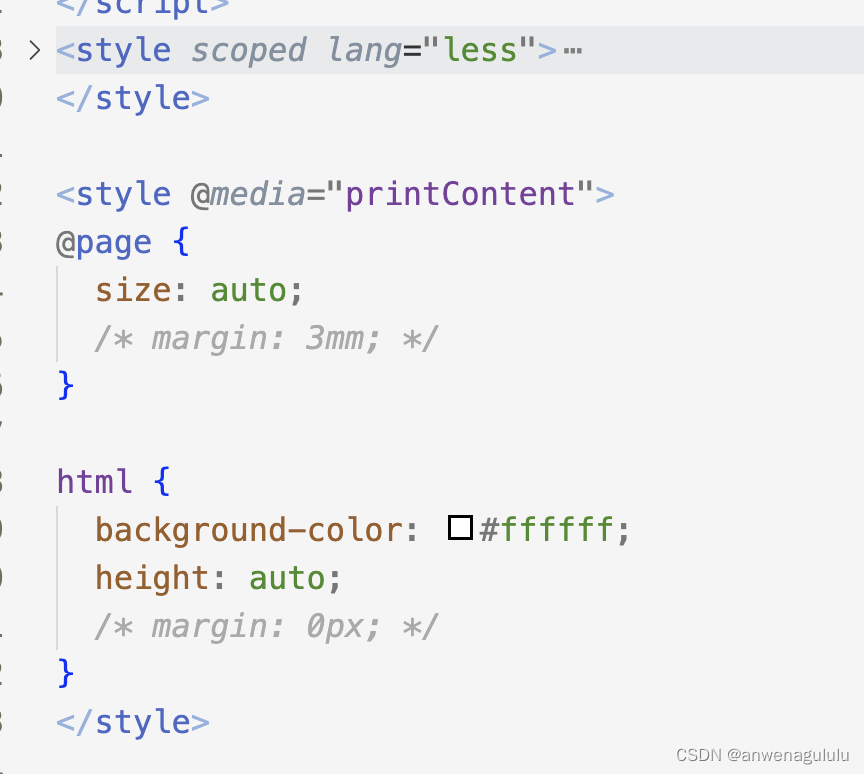
2.希望在打印时显示 id="printContent" 的内容,但在组件引用时隐藏它
使用 Vue.js 的条件渲染结合 CSS 来实现,使用了 v-show="printMode" 来根据 printMode 的值决定是否显示 id="printContent" 的元素。在组件初始化时,printMode 的初始值为 false,因此 id="printContent" 的元素会被隐藏。
然后,使用 CSS 的 @media 查询来定义打印样式。在 @media print 查询中,我们将 #printContent 的显示设置为 block,以确保在打印时显示特定内容。
同时,通过 window 对象的 beforeprint 和 afterprint 事件监听器来切换 printMode 的值。在打印开始前,beforeprint 事件会触发 beforePrint 方法,将 printMode 设置为 true,以便在打印时显示 id="printContent" 的内容。在打印完成后,afterprint 事件会触发 afterPrint 方法,将 printMode 设置为 false,以便在组件引用时隐藏 id="printContent" 的内容。
这样,当点击打印按钮时,id="printContent" 的元素会显示出来,并在打印时正常显示,而在组件引用时会隐藏。
<template>
  <a-card :bordered="false" :class="{ abcdefg: true}">
    <div class="no-print" style="text-align: right">
      <a-button @click="togglePrintMode" type="primary">打印</a-button>
    </div>
    <section ref="print" id="printContent" class="abcdefg" v-show="printMode">
      <div>
        内容
      </div>
    </section>
  </a-card>
</template>

<script>
export default {
  data() {
    return {
      printMode: false
    }
  },
  methods: {
    togglePrintMode() {
      this.printMode = !this.printMode;
    },
    beforePrint() {
      this.printMode = true;
    },
    afterPrint() {
      this.printMode = false;
    }
  },
  mounted() {
    window.addEventListener("beforeprint", this.beforePrint);
    window.addEventListener("afterprint", this.afterPrint);
  },
  beforeDestroy() {
    window.removeEventListener("beforeprint", this.beforePrint);
    window.removeEventListener("afterprint", this.afterPrint);
  }
}
</script>

<style>
@media print {
  #printContent {
    display: block !important;
  }
}
@media screen {
  #printContent {
    display: none;
  }
}
</style>
另,还有其他的插件,如vue-print-nb类似使用
 GitHub 加速计划 / vu / vue
 109
109
 18
下载
18
下载

AtomGit 是由开放原子开源基金会联合 CSDN 等生态伙伴共同推出的新一代开源与人工智能协作平台。平台坚持“开放、中立、公益”的理念,把代码托管、模型共享、数据集托管、智能体开发体验和算力服务整合在一起,为开发者提供从开发、训练到部署的一站式体验。
更多推荐


 5
5 0
0- 0


 已为社区贡献7条内容

所有评论(0)