vue中实现锚点定位以及平滑滚动到指定位置
vue
vuejs/vue: 是一个用于构建用户界面的 JavaScript 框架,具有简洁的语法和丰富的组件库,可以用于开发单页面应用程序和多页面应用程序。
项目地址:https://gitcode.com/gh_mirrors/vu/vue
 免费下载资源
·
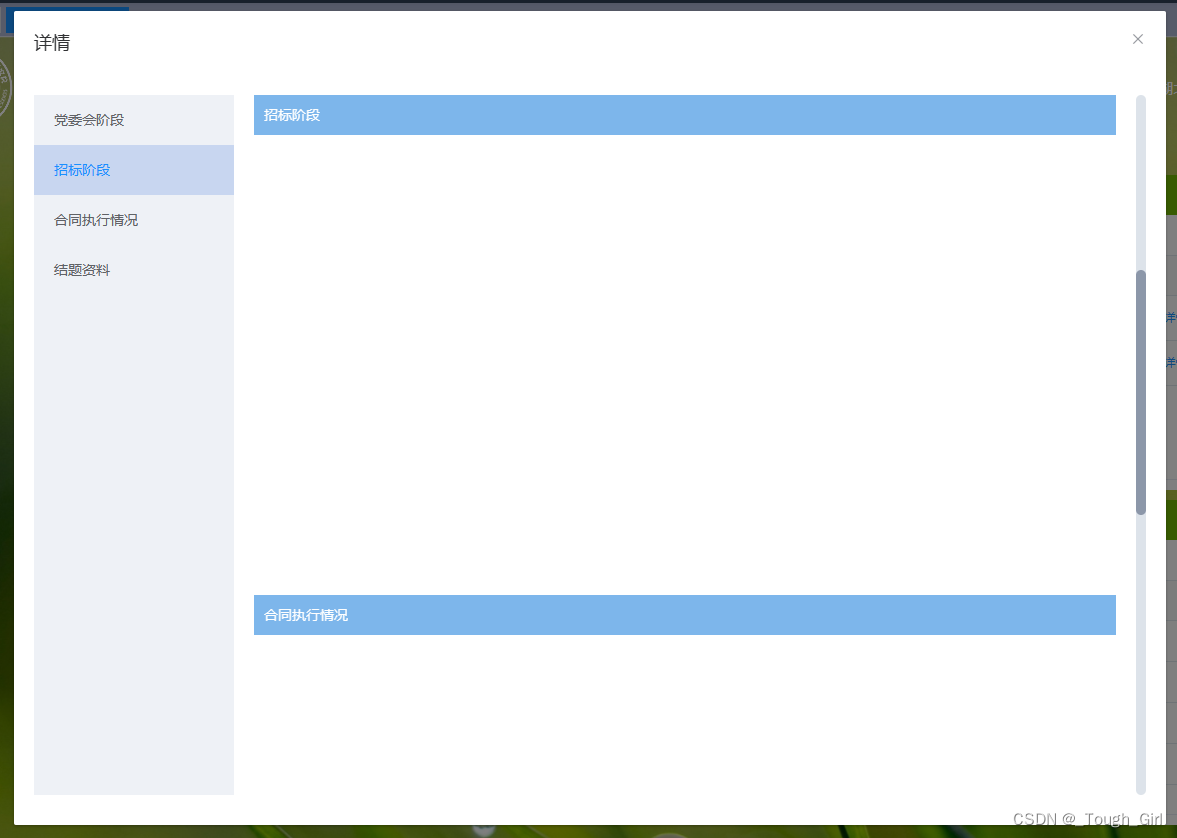
代码:
<template>
  <div class="process-details-container">
    <div class="left-box">
      <div
        v-for="(item, index) in titelList"
        :key="item.id"
        :class="activeIndex == index ? 'btn btn-active' : 'btn'"
        @click="navClick(item, index)"
      >{{ item.title }}</div>
    </div>
    <div class="right-box" @scroll="onScroll">
      <div v-for="item in titelList" :key="item.id" :id="item.id" class="section-box">
        <div class="title">{{ item.title }}</div>
      </div>
    </div>
  </div>
</template>

<script>
export default {
  data() {
    return {
      titelList: [
        {
          title: '党委会阶段',
          id: 'conferenceStage',
          top: '',
        },
        {
          title: '招标阶段',
          id: 'biddingPhase',
          top: '',
        },
        {
          title: '合同执行情况',
          id: 'contractExecution',
          top: '',
        },
        {
          title: '结题资料',
          id: 'concludingData',
          top: '',
        }
      ],
      activeIndex: 0,

    }
  },
  mounted() {
    this.init();
  },
  methods: {
    init() {
      this.titelList.forEach(item => {
        let anchor = document.getElementById(item.id);
        item.top = anchor.offsetTop;
      })
      // console.log(this.titelList);
    },
    navClick(item, index) {
      this.activeIndex = index;

      let anchor = document.getElementById(item.id);
      // console.log(anchor.offsetTop, 'top');
      anchor.scrollIntoView({ behavior: "smooth" });
    },
    onScroll(e) {
      // console.log(e.target.scrollTop, 'scroll');
      this.titelList.map((item, index) => {
        if (e.target.scrollTop >= item.top) {
          this.activeIndex = index;
        }
      })
    },

  }
}
</script>

<style lang="scss" scoped>
.process-details-container {
  position: relative;
  width: 100%;
  height: 700px;
  display: flex;
  align-items: center;

  .left-box {
    width: 200px;
    height: 100%;
    background-color: #eef1f6;

    .btn {
      padding: 0 20px;
      height: 50px;
      line-height: 50px;
      cursor: pointer;
    }

    .btn:hover {
      color: #1890ff;
      background-color: #c8d6f0;
    }

    .btn-active {
      color: #1890ff;
      background-color: #c8d6f0;
    }
  }

  .right-box {
    width: calc(100% - 200px);
    height: 100%;
    padding: 0 20px;
    overflow: auto;

    .section-box {
      width: 100%;
      height: 500px;

      .title {
        width: 100%;
        height: 40px;
        line-height: 40px;
        padding: 0 10px;
        background-color: #7db6eb;
        color: #fff;
      }
    }
  }
}
</style>
 GitHub 加速计划 / vu / vue
 109
109
 19
下载
19
下载
vuejs/vue: 是一个用于构建用户界面的 JavaScript 框架,具有简洁的语法和丰富的组件库,可以用于开发单页面应用程序和多页面应用程序。
最近提交(Master分支:4 个月前 )
9e887079
[skip ci] 1 年前
73486cb5
* chore: fix link broken
Signed-off-by: snoppy <michaleli@foxmail.com>
* Update packages/template-compiler/README.md [skip ci]
---------
Signed-off-by: snoppy <michaleli@foxmail.com>
Co-authored-by: Eduardo San Martin Morote <posva@users.noreply.github.com> 1 年前

AtomGit 是由开放原子开源基金会联合 CSDN 等生态伙伴共同推出的新一代开源与人工智能协作平台。平台坚持“开放、中立、公益”的理念,把代码托管、模型共享、数据集托管、智能体开发体验和算力服务整合在一起,为开发者提供从开发、训练到部署的一站式体验。
更多推荐


 1
1 0
0- 0


 已为社区贡献2条内容

所有评论(0)