python-opencv:在视频中显示fps等opencv快速入门
opencv
OpenCV: 开源计算机视觉库
项目地址:https://gitcode.com/gh_mirrors/opencv31/opencv
 免费下载资源
·
上期回顾
python-opencv:对视频的基本操作包括获取高度、宽度、fps以及播放等opencv快速入门
上期我们主要是针对视频的宽度、高度以及得到fps和视频的播放等进行操作,但是实际过程中我们还可能需要用到在视频中显示fps这一步我们怎么操作呢
视频显示fps
# coding=gbk
import time
import cv2
cap = cv2.VideoCapture("D:\\jc\\Myself\\video\\Hacker_glasses_07_Videvo.mov")  # 读取文件
start_time = time.time()
counter = 0
# 获取视频宽度
frame_width = int(cap.get(cv2.CAP_PROP_FRAME_WIDTH))
# 获取视频高度
frame_height = int(cap.get(cv2.CAP_PROP_FRAME_HEIGHT))
fps = cap.get(cv2.CAP_PROP_FPS) #视频平均帧率
while (True):
    ret, frame = cap.read()
    # 键盘输入空格暂停,输入q退出
    key = cv2.waitKey(1) & 0xff
    if key == ord(" "):
        cv2.waitKey(0)
    if key == ord("q"):
        break
    counter += 1  # 计算帧数
    if (time.time() - start_time) != 0:  # 实时显示帧数
        cv2.putText(frame, "FPS {0}".format(float('%.1f' % (counter / (time.time() - start_time)))), (500, 50),
                    cv2.FONT_HERSHEY_SIMPLEX, 2, (0, 0, 255),
                    3)
        src = cv2.resize(frame, (frame_width // 2, frame_height // 2), interpolation=cv2.INTER_CUBIC)  # 窗口大小
        cv2.imshow('frame', src)
        print("FPS: ", counter / (time.time() - start_time))
        counter = 0
        start_time = time.time()
    time.sleep(1 / fps)  # 按原帧率播放
cap.release()
cv2.destroyAllWindows()
讲解
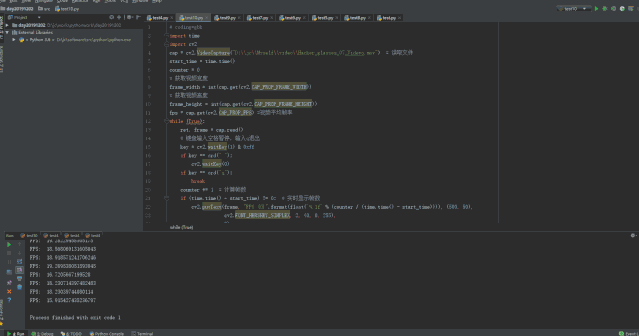
这里主要是运用视频的fps以及算出实时的帧数来进行展示在视频中,并设置他的位置
 GitHub 加速计划 / opencv31 / opencv
 236
236
 21
下载
21
下载
OpenCV: 开源计算机视觉库
最近提交(Master分支:3 个月前 )
cff75811
docs: fix spelling errors 20 小时前
459a6092
Fixed picture_sw object leak in ffmpeg backend with hardware codecs. #28283
Replacement for https://github.com/opencv/opencv/pull/28221
### Pull Request Readiness Checklist
See details at https://github.com/opencv/opencv/wiki/How_to_contribute#making-a-good-pull-request
- [x] I agree to contribute to the project under Apache 2 License.
- [x] To the best of my knowledge, the proposed patch is not based on a code under GPL or another license that is incompatible with OpenCV
- [ ] The PR is proposed to the proper branch
- [ ] There is a reference to the original bug report and related work
- [ ] There is accuracy test, performance test and test data in opencv_extra repository, if applicable
Patch to opencv_extra has the same branch name.
- [ ] The feature is well documented and sample code can be built with the project CMake
23 小时前

AtomGit 是由开放原子开源基金会联合 CSDN 等生态伙伴共同推出的新一代开源与人工智能协作平台。平台坚持“开放、中立、公益”的理念,把代码托管、模型共享、数据集托管、智能体开发体验和算力服务整合在一起,为开发者提供从开发、训练到部署的一站式体验。
更多推荐



 4
4 0
0- 0


 已为社区贡献3条内容

所有评论(0)