FMC+DAM驱动LVGL刷屏
·
前提条件
使用FMC驱动LCD刷屏
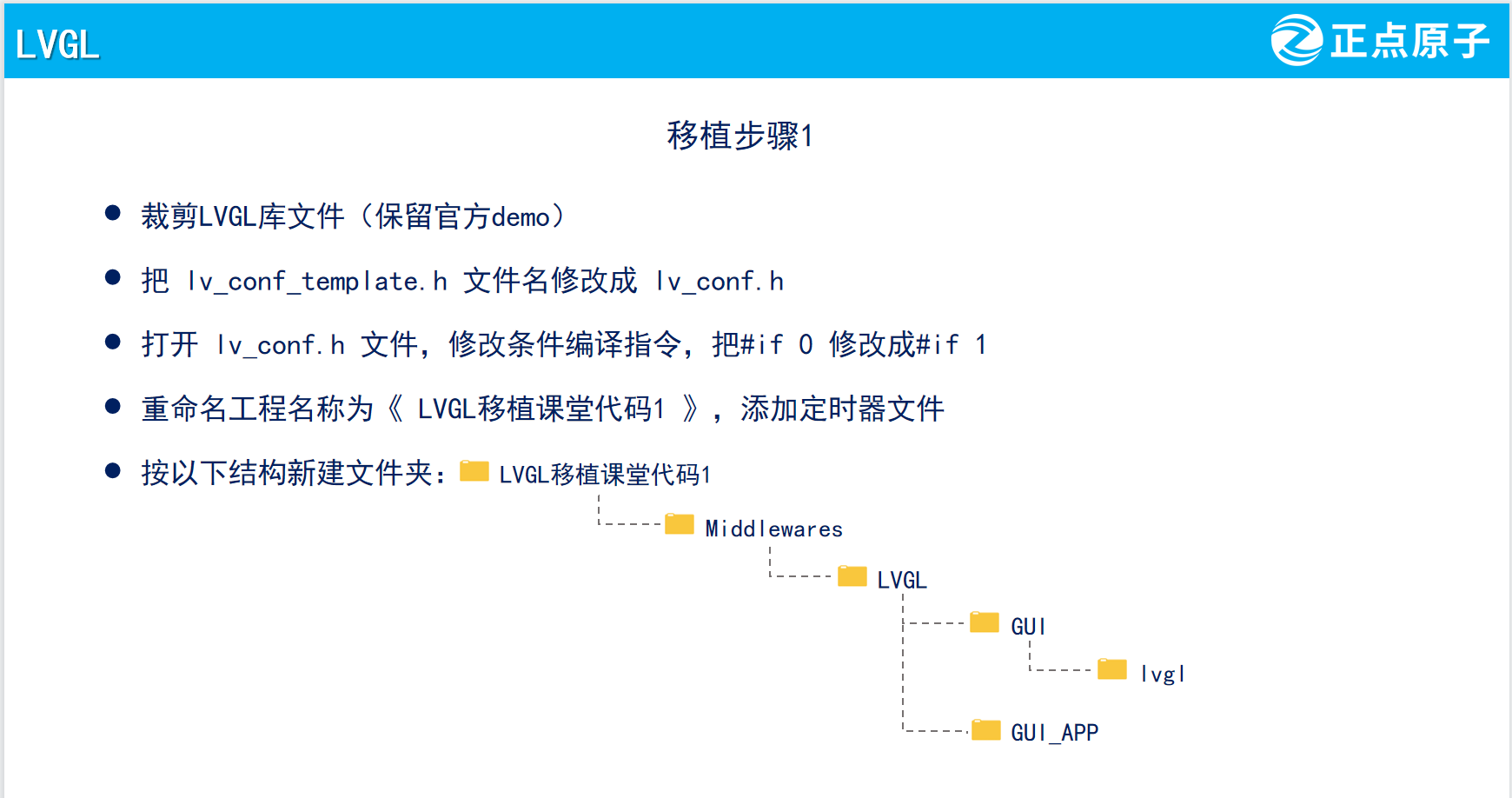
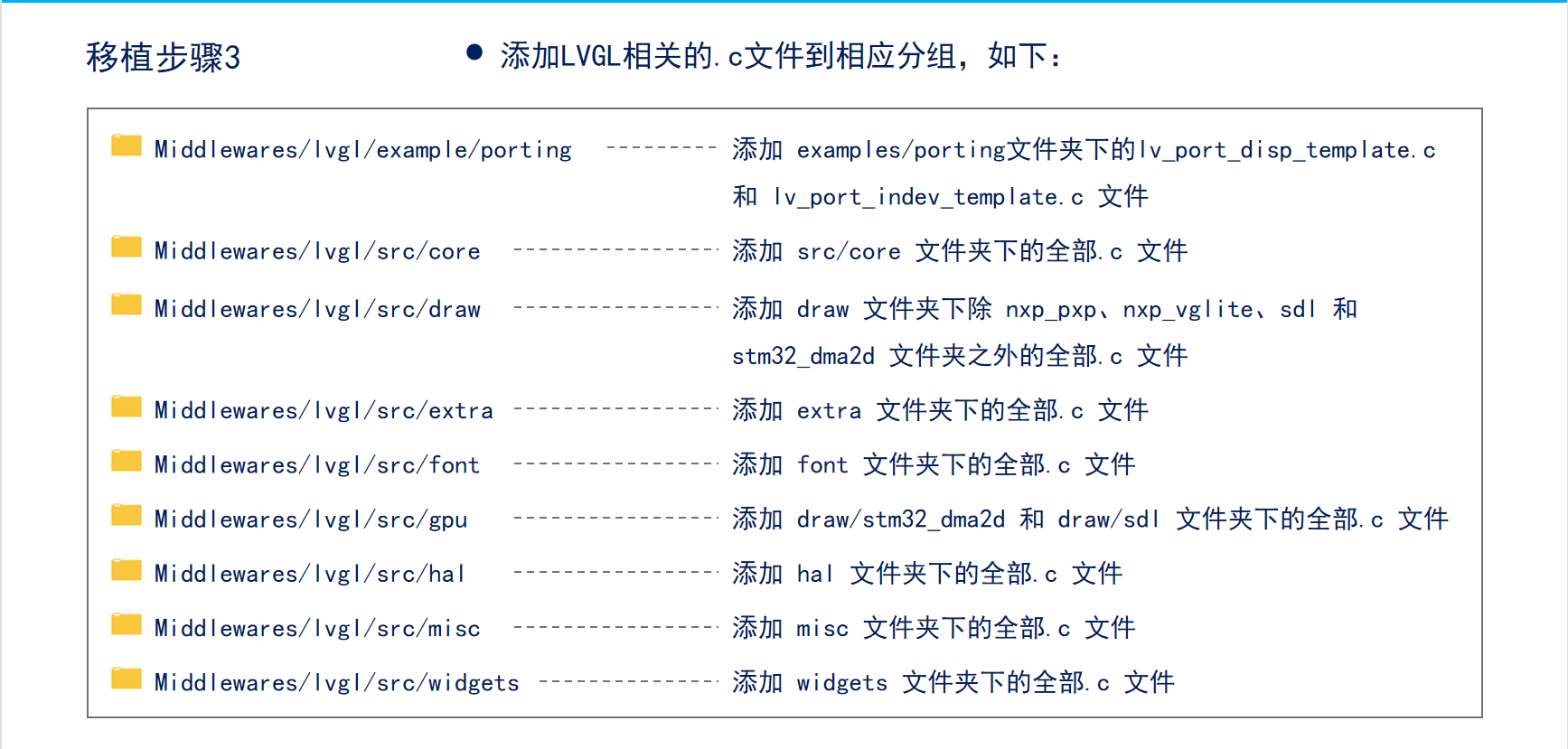
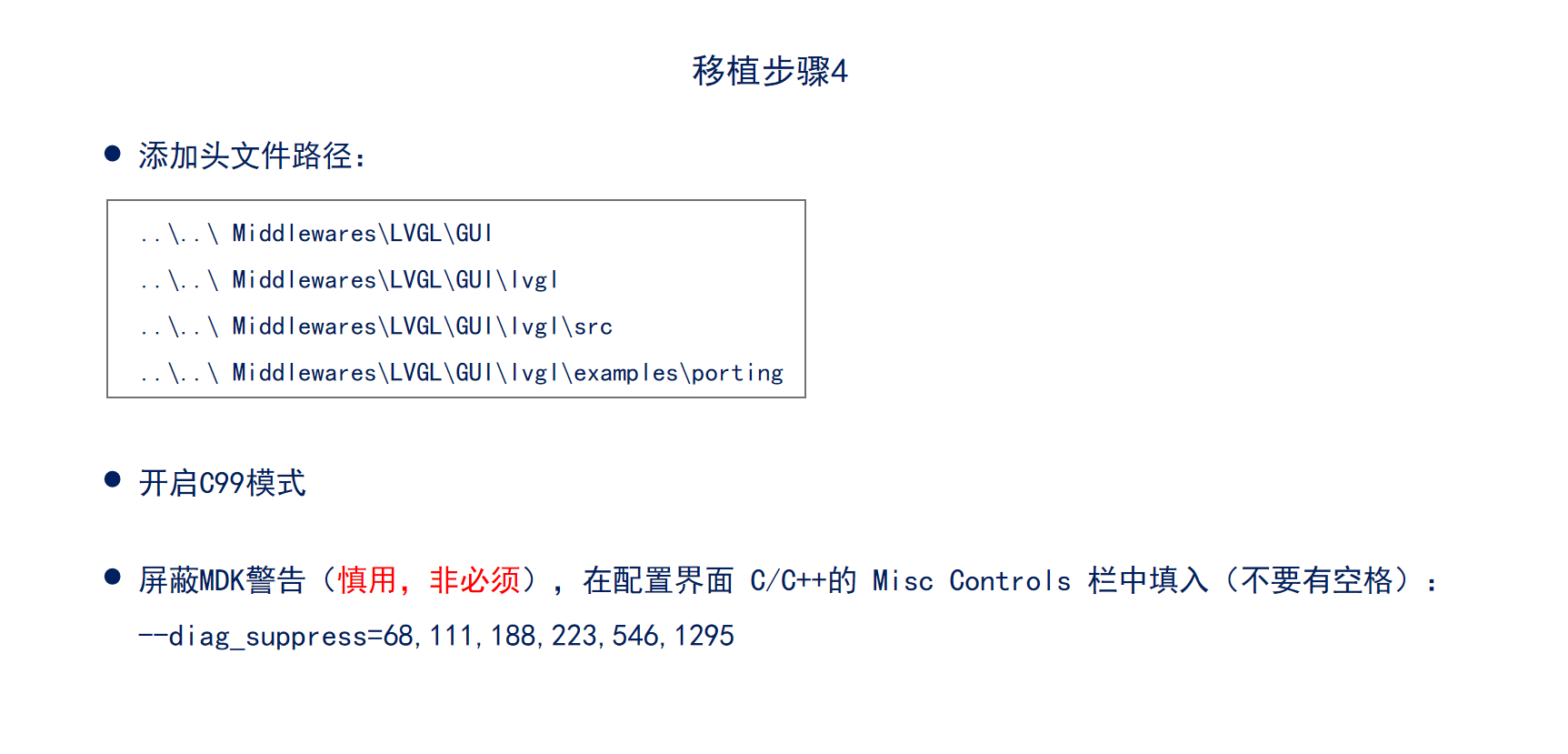
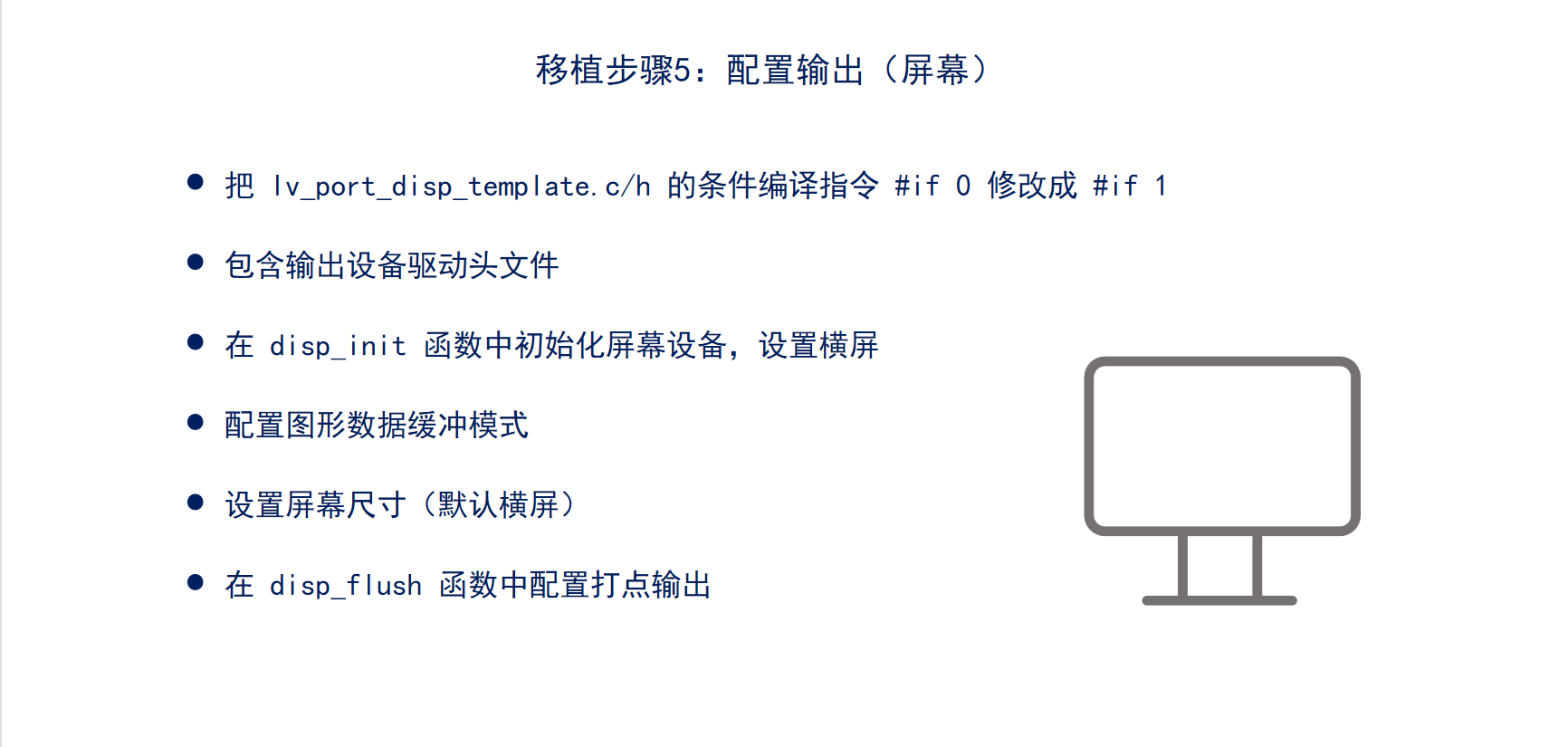
LVGL移植

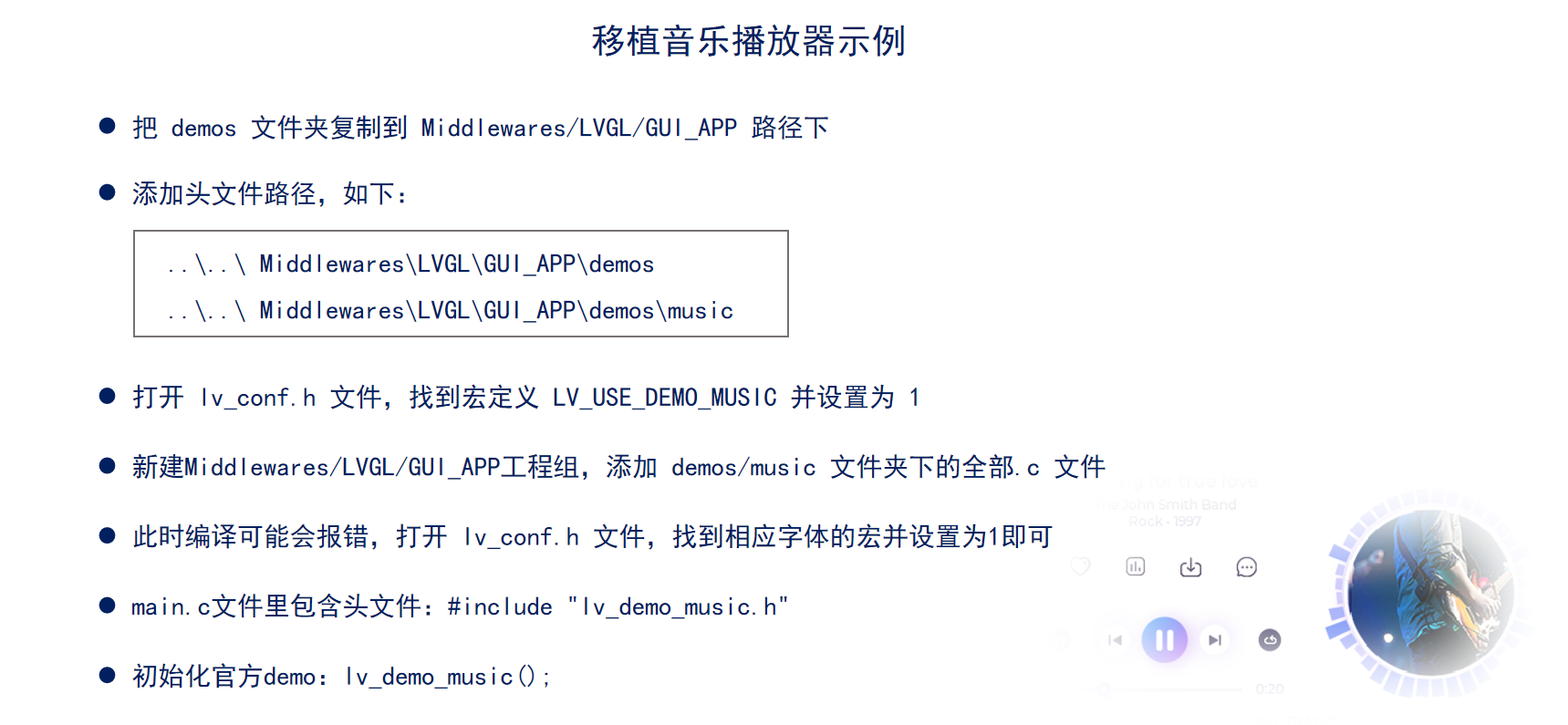

开启DMA
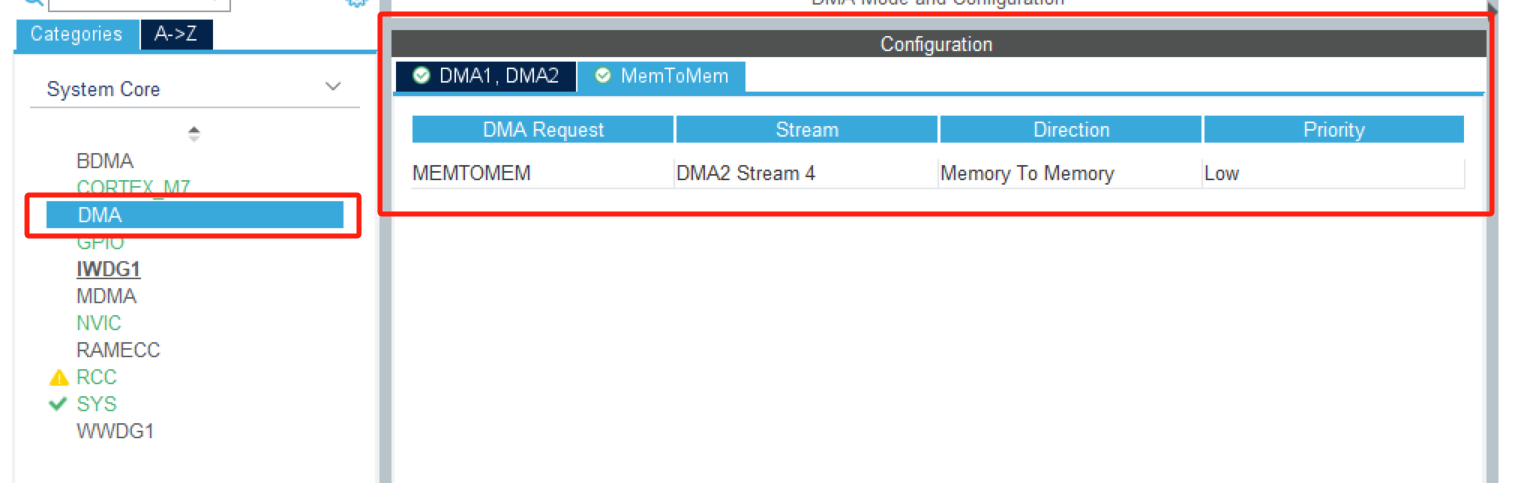
需要开启MEMTOMEMDMA。
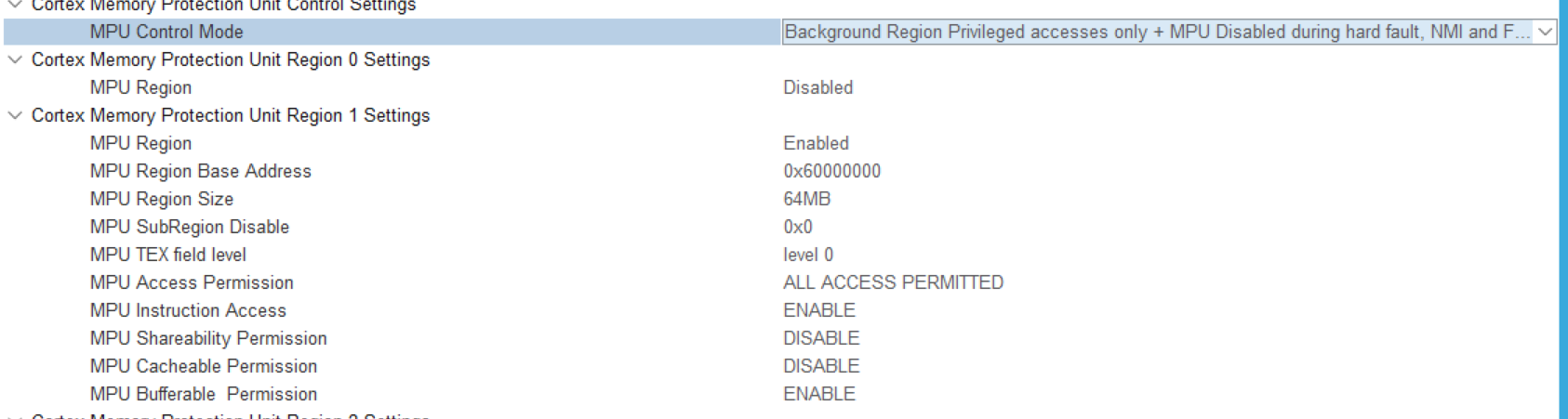
开启MPU
有MPU时需要
使能I-cache D-cache时
使用DMA传输数据时要保证数据的完整行和准确性
修改代码
逻辑
等待DMA传输完成然后再刷屏。
修改
-
在DMA初始化函数中最后添加
注册DMA传输完成调用函数。
HAL_DMA_RegisterCallback(&hdma_memtomem_dma2_stream0, HAL_DMA_XFER_CPLT_CB_ID, LVGL_LCD_FSMC_DMA_pCallback);
- 修改
disp_flush函数
/*Flush the content of the internal buffer the specific area on the display
 *You can use DMA or any hardware acceleration to do this operation in the background but
 *'lv_disp_flush_ready()' has to be called when finished.*/
static void disp_flush(lv_disp_drv_t * disp_drv, const lv_area_t * area, lv_color_t * color_p)
{
    /*The most simple case (but also the slowest) to put all pixels to the screen one-by-one*/

//     LCD_ShowPicture(area->x1, area->y1, area->x2 - area->x1+1, area->y2- area->y1+1, (uint16_t *)color_p);

	LCD_Address_Set(area->x1,area->y1,area->x2,area->y2); //写地址

	HAL_DMA_Start_IT(&hdma_memtomem_dma2_stream0, (uint32_t)color_p, Bank1_LCD_DATA, ((area->x2+1) - area->x1) * ((area->y2+1) - area->y1)); //写数据
    /*IMPORTANT!!!
//     *Inform the graphics library that you are ready with the flushing*/
//    lv_disp_flush_ready(disp_drv);
}
-
添加刷屏函数
刷屏函数
void LVGL_LCD_FSMC_DMA_pCallback(DMA_HandleTypeDef *_hdma)
{
	lv_disp_flush_ready(&disp_drv);
}

AtomGit 是由开放原子开源基金会联合 CSDN 等生态伙伴共同推出的新一代开源与人工智能协作平台。平台坚持“开放、中立、公益”的理念,把代码托管、模型共享、数据集托管、智能体开发体验和算力服务整合在一起,为开发者提供从开发、训练到部署的一站式体验。
更多推荐


 2
2 0
0- 0


 已为社区贡献2条内容

所有评论(0)