ModuleNotFoundError: No module named ‘bs4‘
·
PyCharm项目:ModuleNotFoundError: No module named ‘bs4’
解决办法:
1、安装bs4
pip install beautifulsoup4
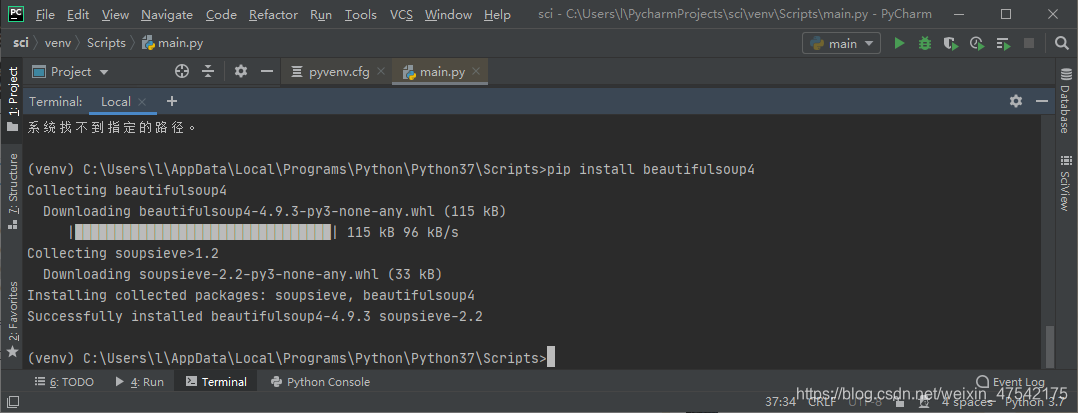
之后,在可以在本地python工作路径的相应目录下找到已安装的bs4模块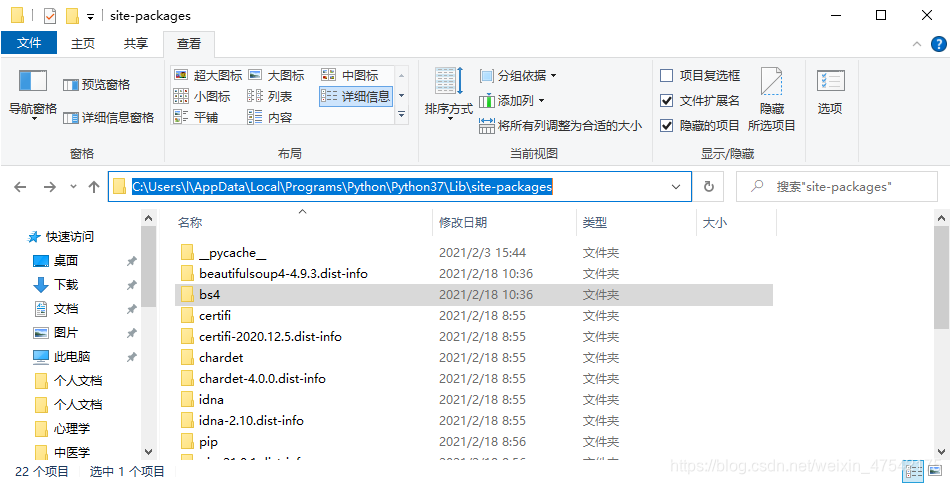
运行依然报错:
ImportError: cannot import name ‘BeautifulS’ from ‘bs4’
(C:\Users\l\AppData\Local\Programs\Python\Python37\lib\site-packages\bs4_init_.py)
2、配置Interpreter
PyCharm–File–Settings–Python Interpreter–+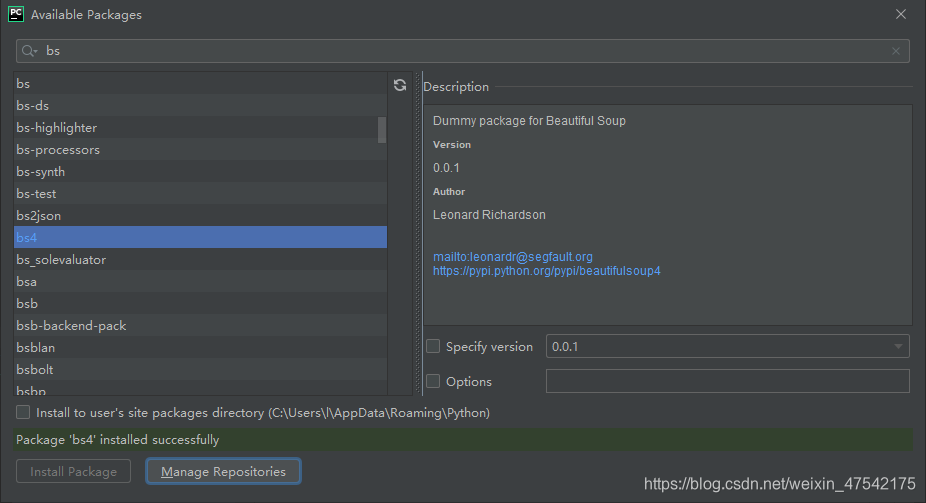
依然报错。
3、根源
代码:from bs4 import BeautifulS
修改为:from bs4 import BeautifulSoup
解决!

AtomGit 是由开放原子开源基金会联合 CSDN 等生态伙伴共同推出的新一代开源与人工智能协作平台。平台坚持“开放、中立、公益”的理念,把代码托管、模型共享、数据集托管、智能体开发体验和算力服务整合在一起,为开发者提供从开发、训练到部署的一站式体验。
更多推荐


 7
7 0
0- 0


 已为社区贡献2条内容

所有评论(0)