Qt5.12实现Visual Studio 2019 拖拽式Dock面板-Qt-Advanced-Docking-System
最近在写一个大型软件,基于跨平台的考虑选择了Qt。 想实现类似于Visual Studio这种灵活的面板拖动自由组合功能。 当然,利用Qt自己的QDockWidget也是可以实现的,可参考:https://blog.csdn.net/Aidam_Bo/article/details/81237647,只是风格上跟VS这种还不太一样,偶然发现国外有写这个增强版的Dock面板,效果如下:
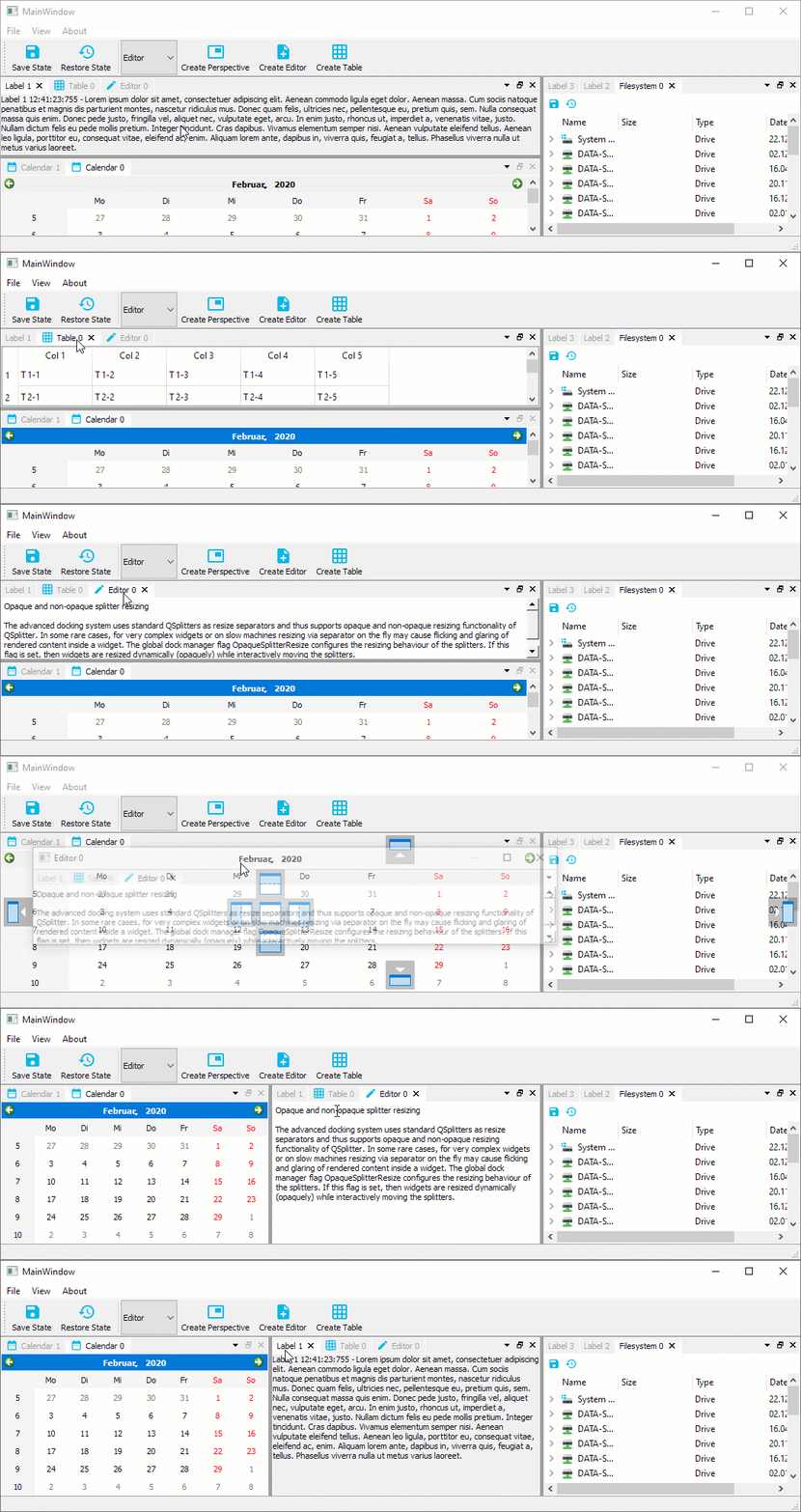
可以说是完全一样了,再放两张效果图:
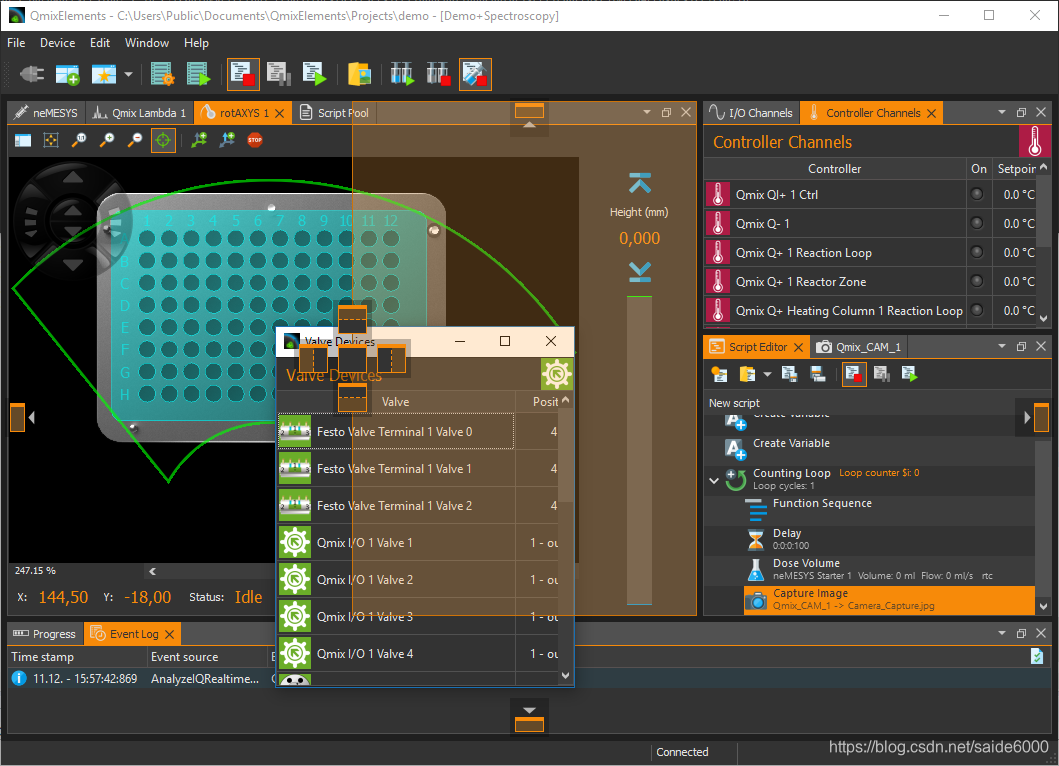
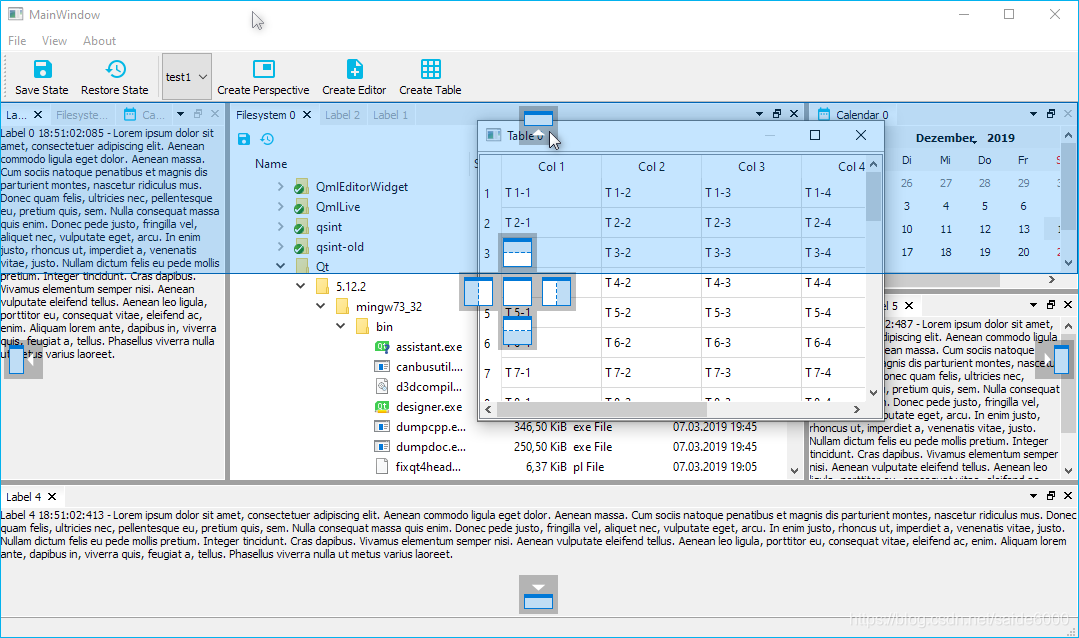
OK,正式开始分享:
Git地址:https://github.com/githubuser0xFFFF/Qt-Advanced-Docking-System
下载完后里面有些Src源码,几个示例程序,都很简单,
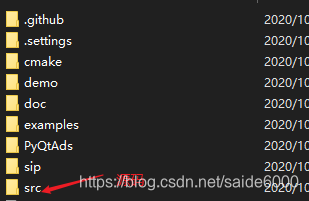
说一下引入自己项目的过程:
1. 首先用QtCreator打开最外面的ads.pro工程文件,我用的MSVS2017 64位进行编译的,右键build一下src项目。
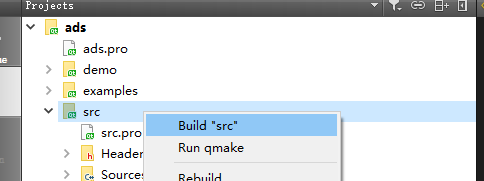
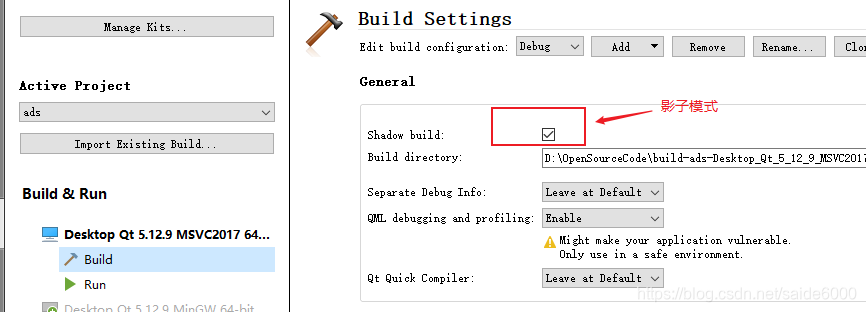
2. 如果打开了影子编译模式,那么编译出的dll和lib在影子编译文件夹里面,如果没有选影子模式,那么在项目源文件里面。
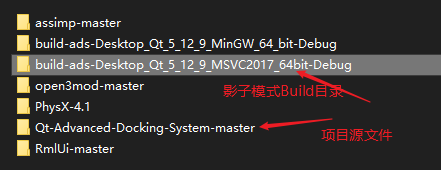
从Debug文件中可以找到qtadvanceddockingd.lib和qtadvanceddockingd.dll两个文件,因为是Debug模式,最后一个字母带了个“d”,和Release模式有个区分。
现在我们有了src源码,以及lib和dll三个文件。这就是我们需要的所有文件了,那么如何配置到我们自己的项目里面呢?别着急,慢慢来。
3. 首先把src源码文件夹,以及lib文件拷贝到自己的项目根目录
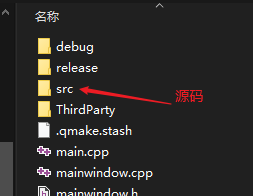
然后把Dll文件拷贝到debug目录,也就是自己程序的运行目录。这样一来就配置完了,下面开始Coding:
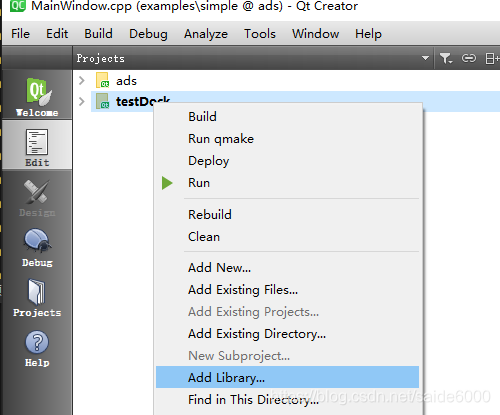
4, 在项目名称上右键,选择添加库
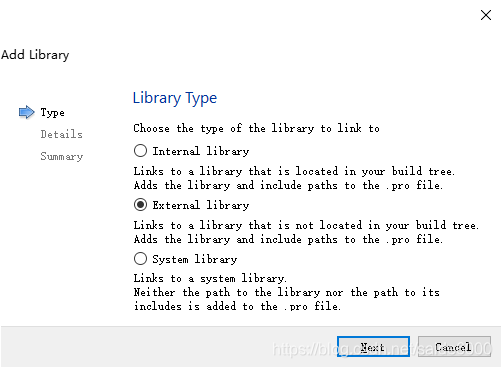
选择外部库:
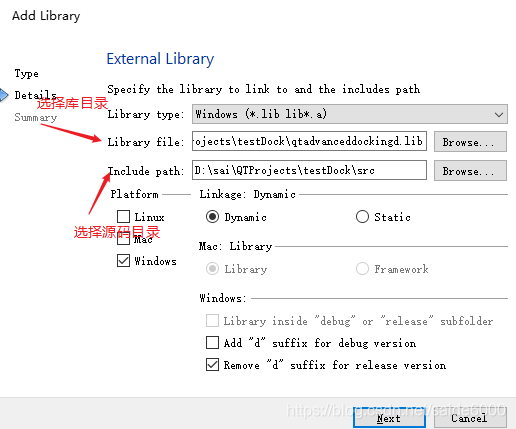
这样Creator自动在pro文件中添加了代码:

简单测试一下是否能够运行:
mainwindow.h
#ifndef MAINWINDOW_H
#define MAINWINDOW_H

#include <QMainWindow>
#include "DockManager.h"

QT_BEGIN_NAMESPACE
namespace Ui {
class MainWindow;
}
QT_END_NAMESPACE

class MainWindow : public QMainWindow
{
    Q_OBJECT

public:
    explicit MainWindow(QWidget *parent = 0);
    ~MainWindow();

private:
    Ui::MainWindow *ui;
    ads::CDockManager* m_DockManager;
};

#endif // MAINWINDOW_H
mainwindow.cpp
#include "mainwindow.h"
#include "ui_mainwindow.h"
#include <QLabel>
MainWindow::MainWindow(QWidget *parent)
    : QMainWindow(parent)
    , ui(new Ui::MainWindow)
{
    ui->setupUi(this);

    m_DockManager = new ads::CDockManager(this);
    // Create example content label - this can be any application specific
    // widget
    QLabel* l = new QLabel();
    l->setWordWrap(true);
    l->setAlignment(Qt::AlignTop | Qt::AlignLeft);
    l->setText("Lorem ipsum dolor sit amet, consectetuer adipiscing elit. ");

    // Create a dock widget with the title Label 1 and set the created label
    // as the dock widget content
    ads::CDockWidget* DockWidget = new ads::CDockWidget("Label 1");
    DockWidget->setWidget(l);

    // Add the toggleViewAction of the dock widget to the menu to give
    // the user the possibility to show the dock widget if it has been closed
  //  ui->menuView->addAction(DockWidget->toggleViewAction());

    // Add the dock widget to the top dock widget area
    m_DockManager->addDockWidget(ads::TopDockWidgetArea, DockWidget);
}

MainWindow::~MainWindow()
{
    delete ui;
}
运行程序:
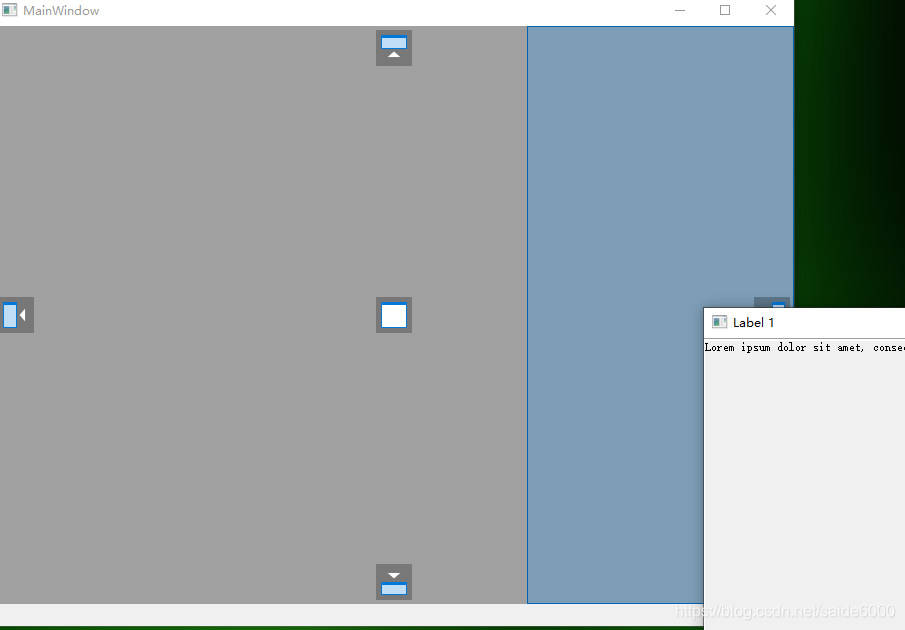
OK,大功告成!

AtomGit 是由开放原子开源基金会联合 CSDN 等生态伙伴共同推出的新一代开源与人工智能协作平台。平台坚持“开放、中立、公益”的理念,把代码托管、模型共享、数据集托管、智能体开发体验和算力服务整合在一起,为开发者提供从开发、训练到部署的一站式体验。
更多推荐



 15
15 0
0- 0


 已为社区贡献1条内容

所有评论(0)